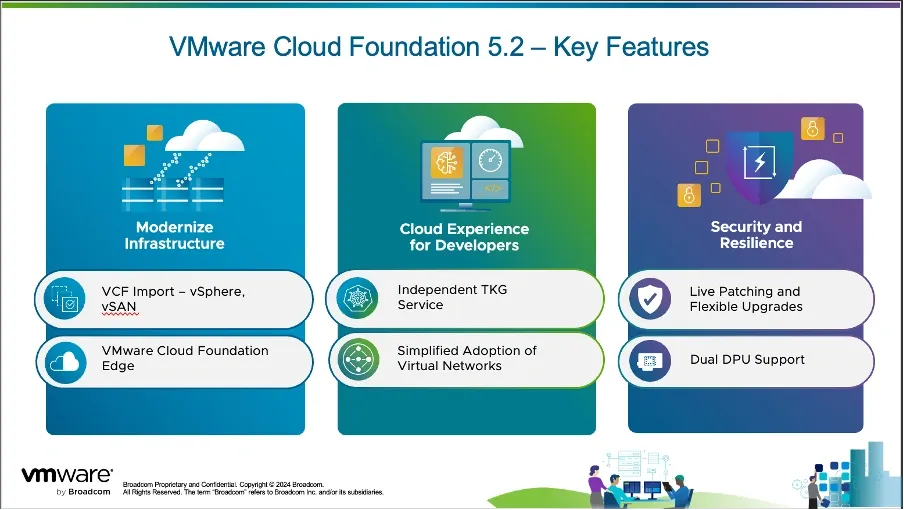
If you’re managing a VMware vSphere environment but want the automation and lifecycle management benefits of VMware Cloud Foundation (VCF), you can now convert your existing setup into a VCF-managed workload domain.
With the introduction of VCF 5.2, deploying a new SDDC Manager instance to control a vSphere environment has become a streamlined process.
Let’s explore how VCF Professional Services simplifies this transformation.
Why Convert to VCF?
Converting your vSphere environment to VCF enables you to:
- Automate lifecycle management for your infrastructure.
- Standardize and simplify operations.
- Reduce manual efforts and errors.
- Unlock the full potential of VMware’s cloud infrastructure suite.
By converting your existing environment, you bypass the need for a greenfield deployment or workload migrations, accelerating your journey to a modernized IT infrastructure.
The Conversion Process
The conversion process consists of four streamlined steps:
Step 1: Check and Remediate Prerequisites
Before starting, it’s crucial to ensure your vSphere environment meets all requirements for a successful conversion. Key considerations include:
-
Supported Versions: vSphere 8.0U3 or later, and SDDC Manager 5.2 or higher.
-
Solution: Upgrade assistance is provided to ensure compatibility.
-
Enhanced Linked Mode: Must not be in use.
-
Solution: VCF services will help unlink Enhanced Linked Mode setups.
-
vSAN Stretch Clusters: Unsupported for conversion.
-
Solution: Options like disabling the stretch cluster are explored.
-
NSX Deployment: Existing NSX instances must not be registered.
-
Solution: Deploy a new NSX instance during the conversion.
A comprehensive checklist ensures all requirements are addressed before moving forward.
Step 2: Create the NSX Deployment Specification
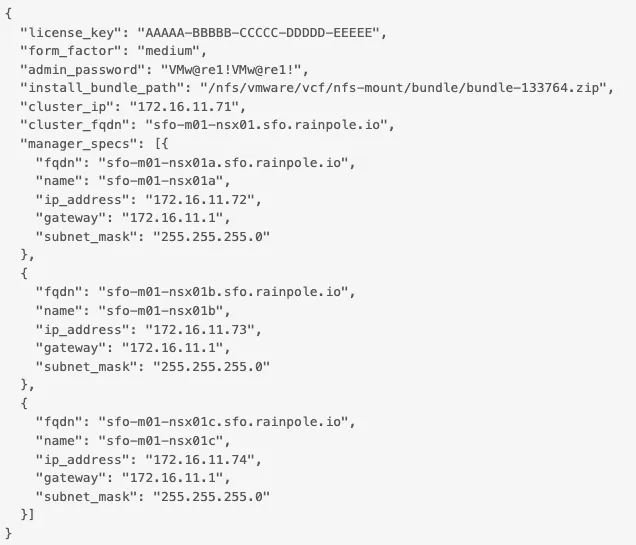
After prerequisite checks, the next step involves preparing the NSX deployment specification, including details like:
-
VM and DNS names.
-
IP addresses.
-
Licensing information.
In VCF 5.2.1, this step is mandatory. A JSON file is created with all required configurations and uploaded alongside the SDDC Manager installation bundle.
Step 3: Deploy the SDDC Manager Appliance
With VCF 5.2, SDDC Manager can now be deployed as a standalone appliance for conversions. Steps include:
-
Deploy the appliance into the existing vSphere environment.
-
Upload required tools, including the NSX specification and software bundles.
-
Configure the appliance to manage the environment as a VCF management domain.
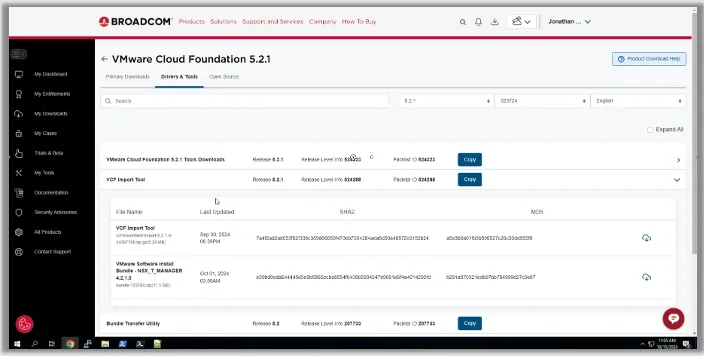
All resources are available for download through Broadcom’s official site.
Step 4: Convert vSphere to VCF
The final step involves executing the conversion process:
-
Perform a final pre-conversion check using SDDC Manager.
-
Initiate the conversion script to create the necessary objects and configurations.
-
Monitor the deployment of NSX and resolve any errors that arise.
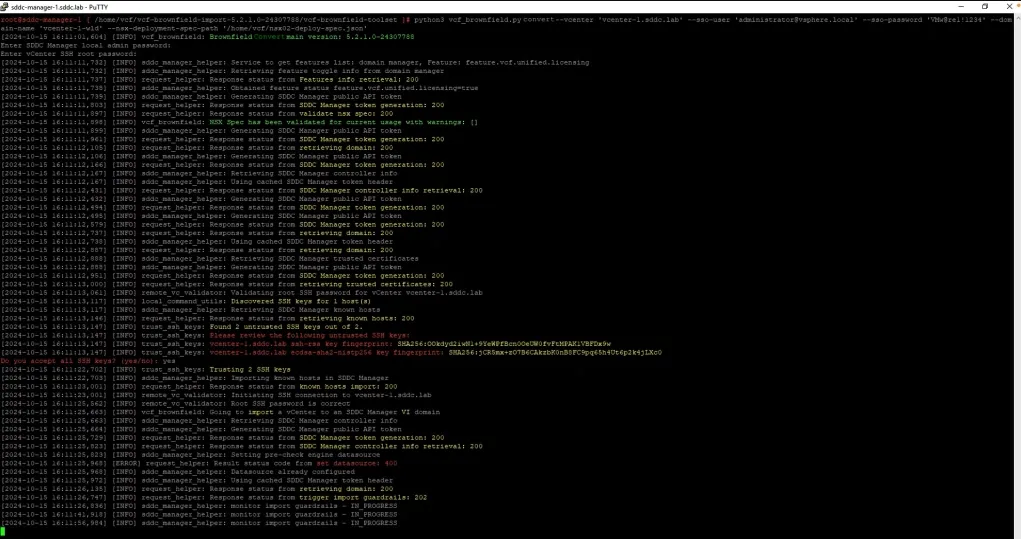
Once the process completes, the environment is fully transitioned into a VCF-managed workload domain. Post-conversion tasks, such as license assignments and validation, are also supported.
Why This Matters
Converting your vSphere environment to VCF delivers immediate benefits:
-
Efficiency: Automates updates, patches, and upgrades.
-
Simplicity: Standardizes infrastructure management.
-
Future-Ready: Prepares your environment for hybrid and multi-cloud use cases.
Take the Next Step
Converting to VCF is a fast, efficient way to unlock the full potential of your vSphere infrastructure.
For more details, contact your VMware representative to learn about eligibility for complimentary assistance or explore resources like the blog Expedite Moving Your VMware vSphere Clusters to VMware Cloud Foundation or the on-demand webinar How to Quickly Upgrade VMware Cloud Foundation and Import VMware vSphere Clusters.
Accelerate your IT transformation with VMware Cloud Foundation today!